
Pinterest has outgrown its image as just a social network; it’s now a powerful visual search engine.
More than 482 million people use Pinterest each month in 2025 to generate ideas, research products, and even make purchases.
For businesses, this is a goldmine. Pinterest attracts users with strong intent. People aren’t just browsing; they’re ready to discover and act. That’s what makes it one of the most effective platforms for driving targeted traffic and boosting conversions.
However, the success here isn’t about posting occasionally. It demands constant pinning, fresh visuals, keyword-focused captions, and smart scheduling. Managing all that manually at scale? Nearly impossible.
That’s why Pinterest automation tools have become essential; they save time, keep your strategy consistent, and help your brand reach further than ever.
What to Expect
In this guide, you’ll cover:
- What Pinterest automation software is and why it matters
- Key factors to consider when choosing a tool
- A curated list of the top 7 automation tools
- A detailed comparison and use-case recommendations.
What is Pinterest Automation Software and Why Does It Matter?
Pinterest automation software is a tool that simplifies and automates your Pinterest marketing efforts. It handles tasks such as scheduling pins, creating content, and tracking performance so you can focus on growing your account without getting bogged down in repetitive work.
Core Functionality & Key Benefits:
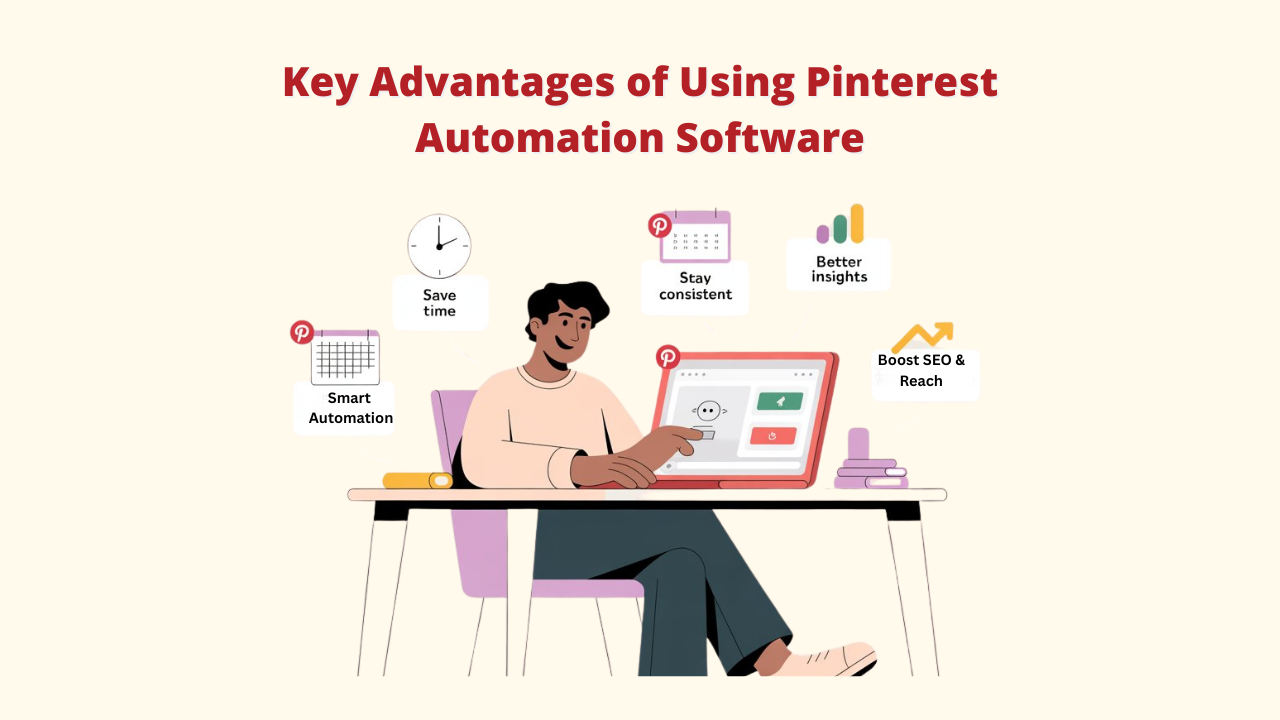
A. Time Savings: With batch scheduling and auto-posting, you can save hours every week that would normally go into manually creating and posting pins.
You can automate tasks like creating pins, posting, repinning, and even following with tools like Pinflux, which will help your account grow more quickly and with less work.
B. Ensures Consistency: Maintaining visibility on Pinterest requires regular posting. Pinterest Automation software helps you maintain a consistent schedule, which keeps your material current and appealing to Pinterest's algorithm.
C. Better Insights: Many automation tools give deeper analytics than Pinterest’s own dashboard. This means you can see exactly which pins are performing well and understand what your audience loves.
D. Boosts SEO and Reach: By automating best practices like adding keyword-rich descriptions and posting at the right times, you can make your pins more discoverable and reach a wider audience.
Types of Pinterest Automation Software:
- Scheduling: Plan and post your pins automatically.
- Content Creation: Use AI to generate pin titles, descriptions, and designs.
- Analytics & Optimization: Track performance and get actionable suggestions to improve results.
Why Pinterest Automation Matters to Boost Your Traffic
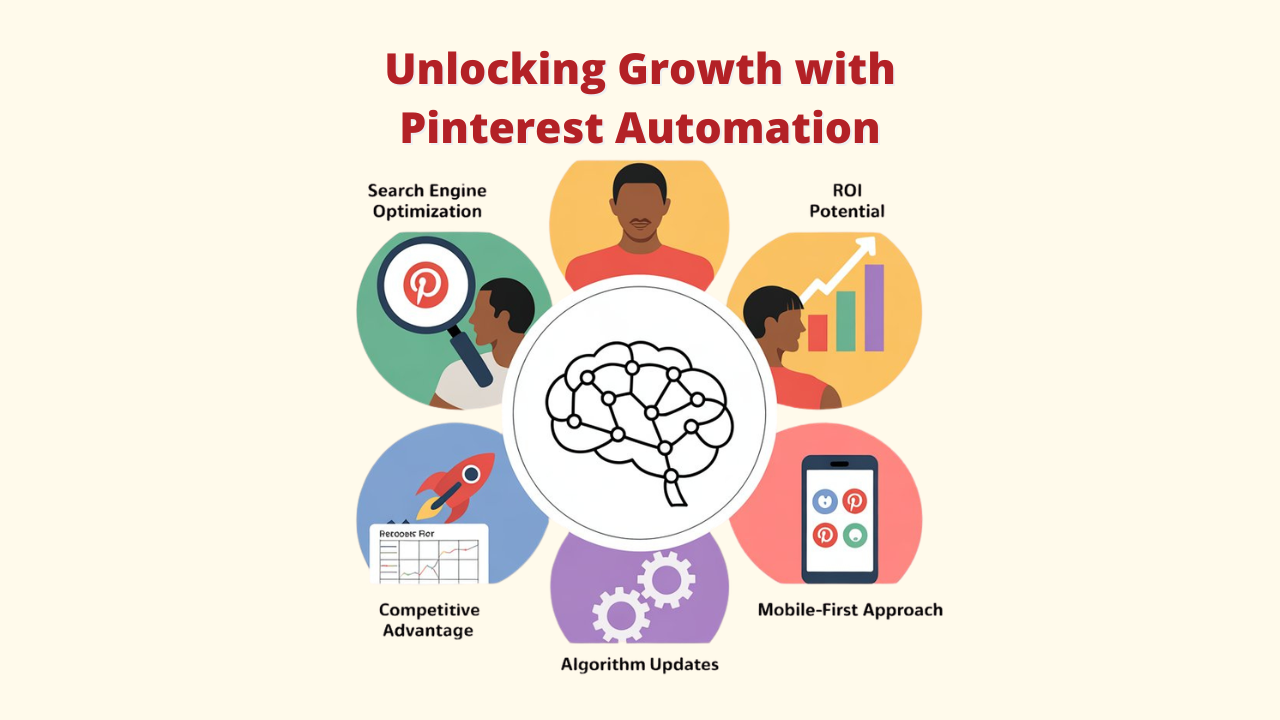
➕ Pinterest as a Search Engine
Unlike other social platforms, Pinterest users are looking for solutions. They use keywords, making it a goldmine for SEO-driven traffic. Automation helps you capitalize on this by ensuring your Pins are optimized and consistently appearing in search results.
➕ ROI Potential
Pinterest has a proven track record of driving sales. According to recent reports, over 85% of weekly users have purchased Pins. By automating your presence, you can maximize this potential ROI without the manual labor.
➕ Competitive Advantage
As more businesses recognize Pinterest's potential, automation provides the competitive edge needed to outpace manual competitors in terms of content volume and consistency. Set up a pinning schedule and let Pinflux work for you 24/7, ensuring a steady flow of fresh content to your boards.
➕ Algorithm Changes and Best Practices
Pinterest's algorithm continues evolving, favoring fresh, high-quality content posted at optimal times. Automation tools stay updated with these changes and adjust strategies automatically.
➕ Mobile-First Approach
With over 80% of Pinterest users accessing the platform via mobile devices, automation tools ensure your content is optimized for mobile viewing and engagement.
Key Criteria for Choosing the Best Pinterest Automation Software
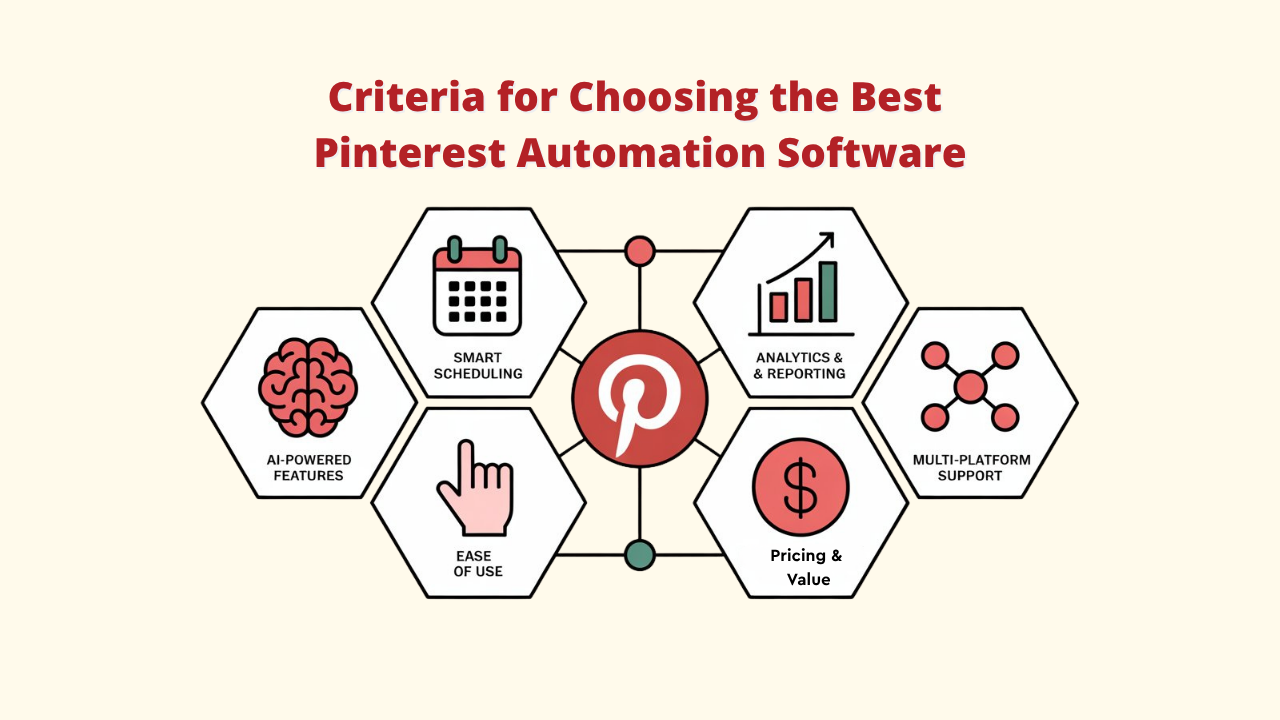
1. AI-Powered Features
➤ Automatically generate pin descriptions with the right keywords.
➤ Smart content ideas based on trending topics.
➤ Run automated A/B tests to see which pin designs perform better with tools like Pinflux.
➤ Use predictive analytics to forecast results.
➤ Optimize posting schedules dynamically based on audience behavior.
2. Smart Scheduling
➤ Pinterest Automation Software uses machine learning to figure out the best posting times.
➤ Studies engagement habits, time zones, and activity levels.
➤ Adjusts and improves posting schedules over time with real performance data.
3. Analytics & Reporting
➤ Choose a tool that goes beyond Pinterest’s built-in analytics.
➤ Track important metrics like click-through rate, conversions, and audience details.
➤ Advanced features like competitor tracking, trend analysis, and forecasting help you stay ahead.
4. Ease of Use & Interface
➤ Simple dashboards with drag-and-drop features
➤ Smooth workflows that don’t need much training
➤ Helpful onboarding and responsive customer support
5. Pricing & Value
➤ Focus on overall value rather than just the cheapest plan.
➤ Look for trial plans, flexible pricing, and upgrade options to match your business growth.
6. Multi-Platform Support
➤ If you manage more than Pinterest, choose automation software that also works with Instagram, Facebook, Twitter, and others.
➤ Get unified analytics for all channels in one place.
➤ Repurpose content and run campaigns across platforms with ease.
By keeping these factors in mind, you’ll be able to select the right Pinterest Automation Software that saves time, grows reach, and drives consistent results.
Top 7 Pinterest Automation Software to Boost Your Traffic
1. Pinflux
An overview

Pinflux is a dedicated Pinterest automation software packed with features to make managing your account easier.
From discovering and scheduling content to handling multiple accounts and tracking results, it gives you strong control over your Pinterest strategy. Many users like it for its balance of power and simplicity.
Pros and Cons
✔️ Easy-to-use dashboard with little learning required
✔️ Responsive customer support, including live chat
✔️ Frequent updates with new tools added
✔️ Designed specifically for Pinterest optimization
❓ Some advanced options are only available in higher plans.
Who Should Use It
For bloggers, solitary entrepreneurs, and small and mid-sized enterprises, Pinflux is an excellent option.
People who want powerful Pinterest automation without the hassle of all-in-one tools will find it ideal. If you would rather use a platform designed just for Pinterest, this is a good choice.
2. Tailwind
An overview

One of the most reliable solutions for Pinterest automation software is Tailwind, which has been an official Pinterest marketing partner for over ten years. It has maintained its reputation for dependability and robust performance while developing into a potent platform with AI-driven capabilities over time.
Pros and Cons
✔️ Built-in community features to discover content and boost engagement
✔️ Auto-generated, personalized designs for Pinterest, Instagram, and Facebook
✔️ Frequent updates with new tools and platform upgrades
✔️ Smooth integration with popular blogging platforms
❓Pricing can be a bit high for solo creators or small businesses
❓The dashboard may feel complex for beginners
❓Some advanced features require extra subscriptions
Who Should Use It
For seasoned companies, marketing firms, and dedicated Pinterest marketers in need of dependable and feature-rich platforms, Tailwind is ideal. Users who need comprehensive data or who oversee several Pinterest accounts may find it especially helpful.
3. BlogToPin
An overview

For easily converting blog entries into visually appealing pins, BlogToPin is the greatest Pinterest automation software. This specialized platform focuses specifically on helping content creators transform their existing blog content into Pinterest-ready pins quickly and efficiently.
Pros and Cons
✔️ Optimizes pin titles and descriptions automatically
✔️ Allows bulk pin creation from several blog posts at once
✔️ Saves time with automation built for content creators
✔️ Delivers high-quality pin designs with little effort
❓ Limited features outside blog-to-pin conversion
❓ Works best for bloggers rather than all businesses
Who Should Use It
For authors, bloggers, and websites that frequently post content, BlogToPin is ideal. This application is a wise choice if you want to increase Pinterest traffic by converting your posts into eye-catching pins.
4. Later
An Overview

Another popular social media scheduling tool with robust Pinterest compatibility is Later. Its visual planning style makes it easy to organize content and keep your Pinterest boards looking consistent, even if you’re managing multiple accounts.
Pros and Cons
✔️ Team collaboration tools for easier workflow
✔️ Basic analytics and performance tracking
✔️ Works smoothly across multiple social platforms
✔️ Free plan available for individual users
❓ Advanced analytics are only available in higher plans
❓ Limited AI-powered automation options
Who Should Use It
Later is a great fit for small businesses, solo marketers, or teams managing different social channels from one place. It’s especially useful if Pinterest is just one part of a wider social media strategy.
5. Content Goblin
An overview

Content Goblin is an artificial intelligence-powered Pinterest automation tool that improves content production. It helps producers create new content in seconds by producing listicle-style pieces with images, descriptions, and subheadings.
Pros and Cons
✔️ Saves hours by automating the writing process
✔️ Produces unique, high-quality content
✔️ Great for scaling up content quickly
❓ Still a newer tool with a shorter track record
❓ AI-generated content may need human editing for accuracy
❓ Fewer customization options for generated output
Who Should Use It
For marketers, companies, and content producers who require a consistent flow of content without compromising quality, Content Goblin is ideal. It's particularly helpful in crowded markets where mass publication is essential.
6. Pin Generator
An overview

Pin Generator is an AI-powered tool designed to create professional and conversion-focused Pinterest pins. Instead of focusing on scheduling, it puts its strength into producing high-quality designs that grab attention and boost clicks.
Pros and Cons
✔️ Strong focus on driving engagement and results
✔️ Polished, high-quality design outputs
✔️ Works well alongside other Pinterest marketing tools
❓ Needs extra tools for full automation and analytics
❓ Best suited for design rather than complete Pinterest management
Who Should Use It
Perfect for marketers and businesses that care about creating stunning, conversion-driven pin designs. It’s especially useful if you don’t mind pairing it with other tools to handle scheduling and performance tracking.
7. PinnerPress
An overview

The purpose of the useful WordPress plugin PinnerPress is to increase Pinterest traffic directly from your website. It enables bloggers to automatically create pins from their posts, which speeds up and simplifies the sharing process.
Pros and cons
✔️ Ready-to-use pin templates you can customize
✔️ Ability to create pins in bulk from old posts
✔️ Works seamlessly with WordPress
✔️ Automates a key part of content promotion
❓ Limited to WordPress, not usable on other platforms
Who Should Use It
Bloggers with WordPress websites who want a simple, low-effort method to continuously post their content to Pinterest without having to do it by hand would find PinnerPress ideal.
How to Choose the Right Pinterest Automation Software
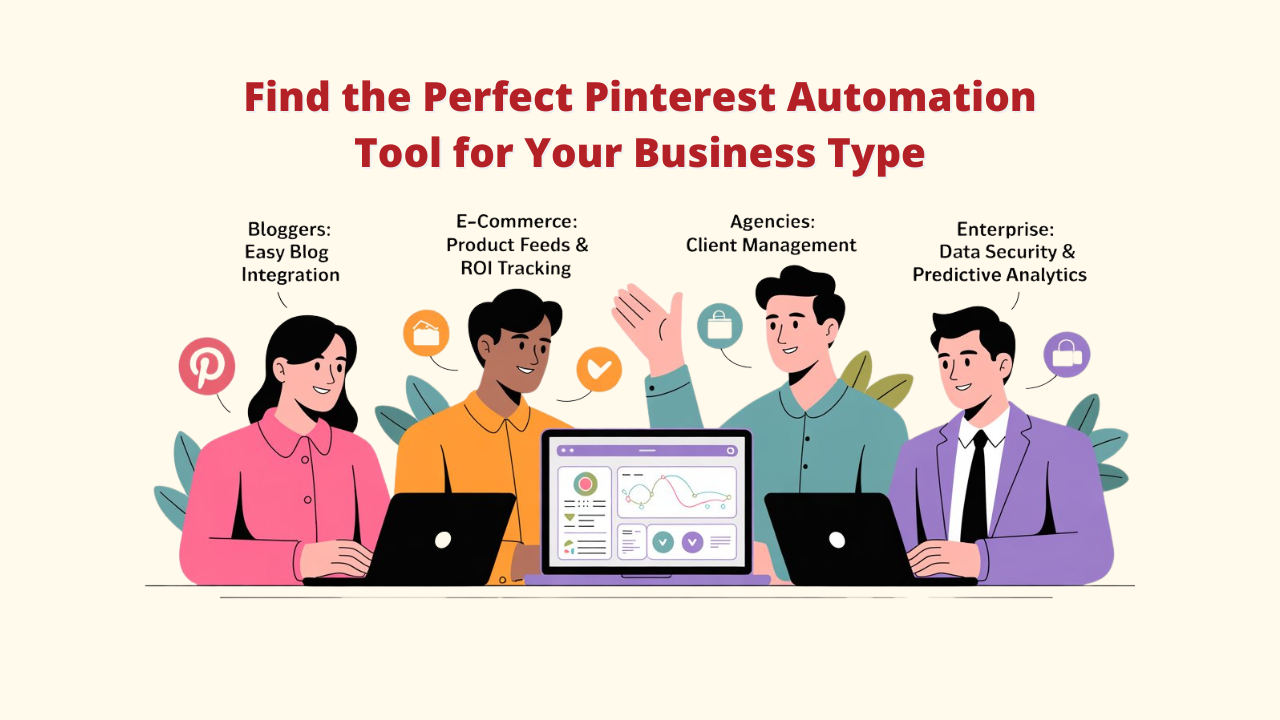
The best Pinterest automation tool really depends on what you’re trying to achieve. Here’s a breakdown based on different use cases:
A. For Bloggers and Content Creators
Bloggers and creators need tools that turn content into traffic quickly. Platforms like BlogToPin make it easy by converting blog posts into ready-to-share pins, while Pinflux adds reliable scheduling and keyword optimization.
👉 Features to Look For: Simple blog integration, AI-powered pin designs, and analytics to track clicks and engagement.
👉 Budget Tip: Begin with affordable, Pinterest-only tools before investing in bigger, multi-platform solutions.
B. For E-commerce Businesses
Success in e-commerce on Pinterest comes from showing products the right way. Managing product catalogs and scheduling in bulk are made easier with Pinterest automation tools like Pin Generator.
👉 Must-Have Features: Product feed integration, sales tracking, and detailed ROI reports.
👉 Why It Matters: Automated product pins can transform Pinterest into a highly effective sales funnel.
C. For Marketing Agencies
Agencies need tools that offer flexibility and can scale with clients. Platforms like Pinflux and Later provide multi-account dashboards along with white-label features for branded reporting.
👉 Features to Focus On: Client management tools, automated reporting, and scalable pricing options.
👉 Pro Tip: Choose tools with team collaboration features and AI support to make campaigns faster, smoother, and more effective.
D. For Enterprise Companies
Large businesses need advanced security along with powerful analytics and pinterest automation platforms like Tailwind offer enterprise-ready solutions with compliance features and deep data insights.
👉 Essential Features: Role-based access, secure data handling, collaboration tools, and predictive analytics.
👉 Why It Matters: At scale, strong security and accurate performance tracking are crucial to protect your brand and maximize results.
Conclusion
If there’s one thing clear for the Pinterest landscape, it’s this: automation is no longer optional, it’s your competitive edge.
Imagine trying to manually create, schedule, and track hundreds of pins every month while your competitors let smart tools handle it in the background. Who’s going to win?
That’s why the right Pinterest automation software is a game-changer.
Whether you’re a blogger turning posts into pins, an e-commerce brand pushing products, or a marketer managing multiple accounts, the right tool can save you hours each week and drive traffic on autopilot.
Among all the tools you explored, Pinflux takes the crown for Pinterest-focused businesses. It’s simple, powerful, and built to help you win on the platform without draining your budget.
But here’s the real takeaway: don’t just take my word for it. 👉 Test the free trials, play with the dashboards, and see what feels right for you. The best tool is the one you’ll actually use consistently.
Pinterest’s future is AI-powered, smarter, and faster than ever before.
FAQ Section for Pinterest Automation Software
1. Is Pinterest automation against Pinterest's terms of service?
A: Yes, as long as the tool follows Pinterest’s rules. The safe choice is to use software that is an official Pinterest partner and sticks to best practices.
These Pinterest automation software focus on tasks like scheduling, analytics, and improving content, not fake engagement. All the tools we’ve mentioned in this guide work within Pinterest’s terms of service.
2. How much time can I save with automation tools?
A: A lot, usually several hours every week. Tasks that might normally take hours can often be finished in less than an hour using automation. Over time, this adds up and frees you to focus on bigger things, such as planning strategy, creating content, and growing your business instead of doing repetitive posting.
3. Can I automate Pinterest completely?
A: Almost, but not completely. Full automation without any human touch can hurt your results since Pinterest rewards authentic, high-quality interactions. Tools like Pinflux help by giving you a central place to manage accounts, schedule posts, and track activity, but your input is still valuable.
4. What’s the return on investment (ROI) of Pinterest automation software?
A: The biggest benefits include more traffic, better leads, and higher sales—all while saving time. Online stores usually see the best ROI because they can directly track sales, while service-based businesses gain by boosting brand visibility and generating leads.
5. How do I measure success?
A: Keep an eye on metrics like outbound clicks, saves, impressions, and conversions using the analytics dashboard in your tool. Always start with a baseline before automating, then track progress month by month. This way, you can clearly measure results and refine your strategy for even better outcomes.